Storage Smart Entry
ACCESSING STORAGE HAS NEVER BEEN EASIER!
- Access your unit from your smart phone
- Bluetooth access
- No codes or keys to forget
- No personal lock is needed
- Share a digital key
- Revoke shared access at ANY time
- Higher level of security
- Monitor access to your unit
- Peace of mind with higher security


FIRST STEPS FOR NEW TENANTS
- Immediately after renting your unit, you’ll receive an automated TEXT MESSAGE from the facility.
- Click the link in the message to download the STORAGE SMART ENTRY app and log in.
- LOG IN using your phone number as your username, and the 6-digit PIN (activation code) provided as your temporary password.
- After logging in, the app prompts you to create a NEW PASSWORD of your own.
- When prompted, tap OK to allow the Storage Smart Entry mobile app to access both BLUETOOTH and LOCATION SERVICES.
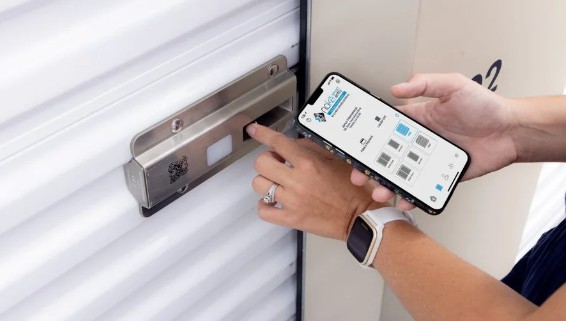
ACCESSING YOUR STORAGE UNIT (BELLEVUE USERS)
- Open the Storage Smart Entry mobile app BEFORE going to the facility to ensure the best connection
- Tap the LED light on the Nokē smart lock to “wake” it up. The light will turn red.
- Once the smart lock is “awake”, the light will turn from red to green. The unit icon on your app will highlight.
- Tap the highlighted icon to open the door or entry point.
- Finally, slide the hasp to the open position, and then lift door.
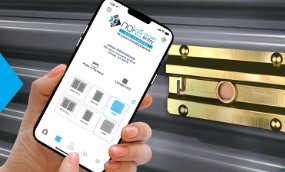
ACCESSING YOUR STORAGE UNIT (TWIN FALLS USERS)
- Open the Storage Smart Entry mobile app BEFORE going to the facility to ensure the best connection
- When you are in range, tap the highlighted icon on your app to open the door or entry point.
- Finally, slide the hasp to the open position, and then lift door.

- Launch the app while you have cell signal before going to the facility.
- Make sure Bluetooth is turned on in your phone's settings. If Bluetooth is off, the app will prompt you to turn on Bluetooth by taking you to the 'settings' page on your phone.
- Make sure Location Services is turned on in your phone's settings.
- Check your app version to make sure you are up to date by searching 'Storage Smart Entry' in the App Store or Google Play Store.
- Force close the Storage Smart Entry app and log back in
- Restart your phone.